
How Accurate Are Food Photo Grades? What a Score Can't See
A food-photo grade stacks two guesses: what is on the plate, and how a scoring formula judges it. Here is what research says about the first guess and how to read the second.
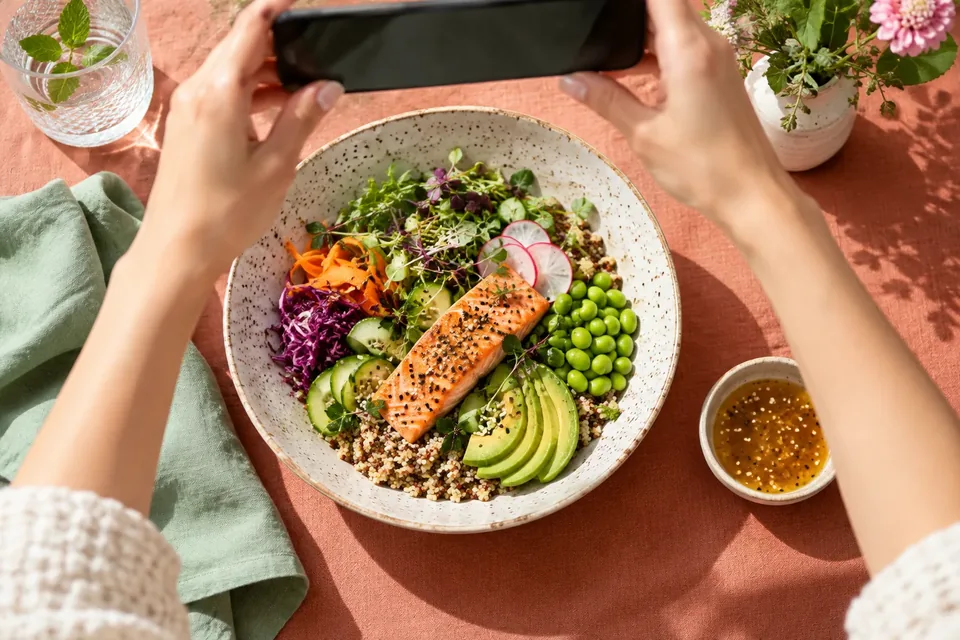
How accurate is a food-photo grade? It is usually good at recognizing what is on your plate and much shakier at judging how much, especially for big portions, mixed dishes and anything hidden like oil or sauce. Treat the grade as a quick, informed estimate you check and correct, not a lab result.
This post looks at why, using a recent study of AI meal-photo estimates, and explains how to read a letter grade without letting it boss you around. (We make GLPily, which has a photo scanner and a GLPily Grade, so we will be specific about how ours works too.)
Why is a food-photo grade really two guesses?
Every photo grade goes through two steps, and each one can wobble:
- The recognition step. Software looks at the image and estimates which foods are there and roughly how much of each. This is where photos lose information: depth, density, hidden layers and cooking fats are hard to see.
- The scoring step. A formula turns those estimated nutrients into a score or letter. That formula reflects choices made by whoever built it: what to reward (protein? fiber?) and what to penalize (added sugar? sodium?).
A grade can be perfectly consistent in step two and still be off because step one guessed the portion wrong. Knowing which step you are looking at helps you fix the right thing.
How well does AI recognize food from a photo?
A 2025 study in the journal Nutrients tested ChatGPT-4 on 114 photographs of 38 meals with known, weighed contents. The results are a useful reality check:
- Recognition was strong. The model correctly identified foods with 93% precision (when it named a food, it was usually there) and about 85% recall (it found most of the foods present).
- Portions were the weak spot. It underestimated the weight of the meal in about three out of four photos. Small meals were estimated fairly well, but medium and large meals were significantly underestimated. For large meals, it guessed about 530 g when the real figure was about 800 g.
- Nutrients were often off by more than 10%. For 13 of the 16 nutrients studied, estimates differed from the true values by more than ±10%.
- Dietitians did not do much better from photos alone. Agreement between the AI and seven dietitians on energy was only poor to moderate, and the authors noted it was comparable to how much the dietitians agreed with each other.
The study was small, used one general-purpose model with a single prompt and no food database, and had no reference object in the photos for scale. Purpose-built scanners and newer models may do better. But the pattern, good at naming foods and weaker at sizing them, is the one to keep in mind.
What can a photo simply not see?
Some things are invisible to any camera, however clever:
- Cooking fat. Vegetables roasted in oil and steamed vegetables can look almost identical.
- Sauces and dressings, especially when mixed in or under the food.
- What is underneath. Rice under a curry, cheese under a burrito wrap, a second layer of pasta.
- Recipe details. Whole milk or skim in the latte? Sugar in the sauce? Full-fat or light mayo?
- How much you actually ate. A photo shows the plate before, not the three bites you left.
- Your context. Allergies, a medical diet, what you ate earlier, or what your dietitian asked you to focus on.
How should you read a letter grade?
A grade compresses a lot of information into one symbol, which is both its charm and its limit. A few ground rules:
- It describes the food, not you. A C on a slice of birthday cake is a comment on the cake's nutrients. It says nothing about your character, your progress or whether you deserved the cake.
- One meal is one data point. Patterns over a week tell you more than any single plate.
- Two plates with the same letter can be quite different. A score blends several factors, so a high-protein dish with lots of sodium and a low-protein dish with very little sodium might land in the same place for different reasons. Look for the "why" behind a grade if the app shows it.
- Grades are not medical advice. No food grade knows your lab results, medicines or what your care team wants you to prioritize.
If you are on a GLP-1 and eating much less than before, the basics often matter more than the letter: enough protein, enough fluids, and food you can tolerate. Our practical GLP-1 food guide and portion-size tips go deeper.
How does the GLPily Grade work?
Since we are asking you to be skeptical of grades, here is ours, plainly:
- Nothing is logged automatically. After a photo scan, you land on a review screen where you can edit items and portions before tapping to log.
- The grade is GLPily's own informational methodology, informed by published research but not clinically validated. It is not a medical assessment or dietary advice.
- It uses six core factors and three penalties. The factors include protein, fiber and calorie density; the penalties include free sugar and sodium. The same food data always gives the same grade.
- You can switch grades off. Settings → Account → Hide grades removes letter grades everywhere while keeping the nutrition numbers.
Food search and barcode scanning are free; the photo scanner and grades are part of PRO, with a few free scans to try it. If you care about what happens to the picture itself, our post on what happens to your meal photo covers that side.
The 30-second check before you log a scan
Make this a habit and your log gets much closer to reality:
- Read the item list. Is everything there? Did it invent anything?
- Fix the biggest portion first. The study above suggests large servings are where estimates drift most.
- Add the invisible extras. Oil, butter, dressing, sugar in your coffee.
- Name mixed dishes. "Chicken tikka masala with rice" beats "orange stew."
- Log what you ate, not what you served. If you left half, edit it down.
A photo trick that helps: shoot from straight above in good light, with the whole plate in frame and nothing stacked on top.
When should you skip grades altogether?
If scores leave you anxious, guilty or tempted to skip meals to "earn" a better day, that is a sign the tool is not helping. Hide the grades, switch to simple logging, or stop food tracking for a while. If you have a history of disordered eating, talk to your care team about whether food scoring is a good idea for you at all; our post on GLP-1 medicines and eating-disorder history has questions to bring.
Good food tools should feel like a curious friend, not a strict teacher. More on that in five design principles for health apps that motivate instead of shame.
Common questions
Are AI calorie counts from photos accurate?
They are estimates. Research suggests recognition of foods is fairly good, but portion size is often underestimated, especially for larger meals. Correcting portions before logging makes the biggest difference.
Why did my scan give two similar meals different grades?
Small differences in estimated portions, sauces, sugar or sodium can push a score across a letter boundary. Check the items and quantities the scan detected; the difference is often there.
Is a bad grade a sign I should not eat that food?
No. A grade is a summary of nutrients, not a rule. Your prescriber or dietitian is the right person for advice about what you should or should not eat.
Can I log food without any grades?
In GLPily, yes. Turn on Hide grades in account settings and you will still see the nutrition information.
Sources and further reading
This article is general education, not medical advice, and hasn’t replaced a conversation with your prescriber. Never change, skip or stop a medicine based on an article or an app. If you have severe or worrying symptoms, get medical help. Written by the GLPily Editorial Team from the sources listed above.
Make your GLP-1 journey easier to track 💚
Keep your shots, weight, food, water and symptom notes together with GLPily, and meet Pily, the little coach who answers from your own logs.


- Shot tracking
- Water & symptoms
- Weight trends
- Journal
- Food scanner
- Progress photos