
- Blog
- Tracking & Progress
- AI Food Scanner Privacy: Where Does Your Meal Photo Go?
AI Food Scanner Privacy: Where Does Your Meal Photo Go?
A photo of your lunch can carry your location, your kitchen and sometimes your kid's face. Here is the journey a meal picture takes inside an AI food scanner, and how to keep it boring.
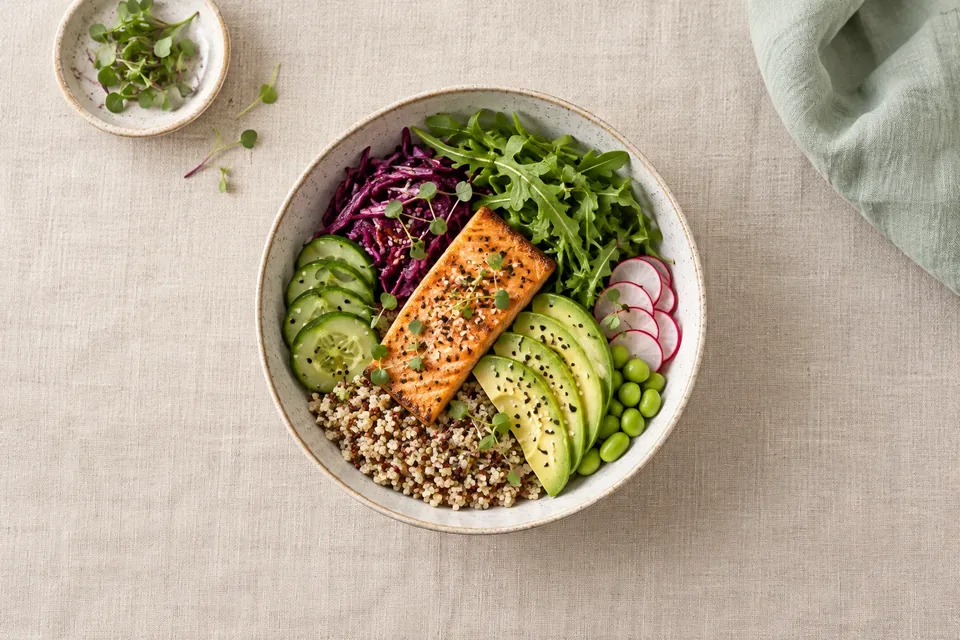
When you use an AI food scanner, your meal photo usually leaves your phone: it is uploaded to the app's servers and often passed to an AI model provider that estimates what is on the plate. Good AI food scanner privacy comes down to three answers the app should give you plainly: who processes the photo, how long it is kept, and whether it is used to train AI.
The food itself is rarely the sensitive part. What sits around it can be.
What can a food photo reveal besides the food?
Take a normal Tuesday lunch photo and look at it like a stranger would:
- The background. A pharmacy bag, a pill organizer, a letter with your address, a work badge, a laptop screen.
- People. Your kid's hand, your partner's face in the corner, a coworker across the table.
- Hidden metadata. Phones can save the date, time, device and location inside the image file. Apple's Personal Safety guide notes that sharing a photo can share that metadata too.
- Patterns. A year of meal photos with timestamps says a lot about when you eat, where, and how your habits changed after starting a medicine.
None of that is a reason to panic. It is a reason to frame the shot like a food photographer: plate, table, nothing else.
Where does a meal photo go when you scan it?
The journey usually looks something like this:
- Your phone. The camera takes the image, or you pick one from your library.
- The app's server. The photo is uploaded so it can be analyzed.
- An AI provider. Many apps send the image to a third-party model company rather than running their own.
- The result. The app gets back a list of foods and estimated portions, then shows you nutrition numbers (and, in some apps, a score).
- Storage. The photo may be deleted right away, kept for a set time, kept indefinitely, or attached to your meal log.
Each step is a place where a privacy policy should be specific. "We take your privacy seriously" answers none of them.
Since a November 13, 2025 update, Apple's App Review Guidelines (section 5.1.2) spell out that apps must clearly disclose where personal data will be shared with third parties, including with third-party AI, and get explicit permission before doing so. So on iPhone you should see a clear notice before your first scan. If you do not, that is worth noticing.
Five questions to ask before you scan your plate
| Question | A reassuring answer sounds like |
|---|---|
| Who processes the photo? | A named type of partner (or provider) and the purpose: "only to estimate the food on your plate." |
| How long is the photo kept? | A specific period, such as a number of days, and what happens after. |
| Is it used to train AI? | A direct "no," or a clear opt-in, not a buried default. |
| Can a human look at it? | A plain statement of when, if ever, and why. |
| Can I delete it? | A delete option in the app and a description of what deletion covers. |
If an app's answers are vague, you can still use it, but keep your photos extra boring. Our broader privacy policy checklist helps with the rest of the policy.
Is a GLP-1 app covered by HIPAA?
Usually not, if you downloaded it yourself and it is not run by your doctor or health plan. That surprises a lot of people; HIPAA and Health Apps: What People Commonly Get Wrong explains why.
That does not mean no rules apply. The FTC's Health Breach Notification Rule covers many health apps that are not under HIPAA. The FTC says a "breach" is not limited to hacking: sharing identifiable health information without the user's authorization can count. Its first enforcement under the rule, in February 2023, was against GoodRx, which the FTC said shared users' medication and health information with advertising platforms; the proposed order included a $1.5 million civil penalty.
Apple's guidelines also restrict how apps use health and fitness data: under section 5.1.3, such data cannot be used for advertising or data mining beyond improving health management or health research.
How to take a privacy-friendly food photo
Frame it tight. Fill the frame with the plate. Move pill bottles, mail and screens out of shot. If someone else is at the table, angle away from them.
Turn off location tagging for your camera (iPhone). Apple's steps: Settings > Privacy & Security > Location Services > Camera, then choose Never. New photos will not record where they were taken.
Strip location when sharing (iPhone). In Photos, tap the Share button, then Options, and turn off Location. You will see "Location Not Included" above the Options button.
On Android, open your Camera app's settings and turn off location tags (the exact name varies by phone maker). Google Photos notes it cannot remove a location your camera embedded, and that edits made in Google Photos do not carry over when you share a file outside the app, so stopping the tag at the camera is the reliable fix.
Share only what you need with the app. If an app asks for photo library access, choose to share selected photos rather than your whole library when your phone offers that option. On Android, the system photo picker lets apps get access to only the images you select. Camera, Photos and Notifications: App Permissions Explained walks through each permission.
Prune old scans. If you do not need last spring's sandwich, delete it from the app and your camera roll.
What about the accuracy of the result?
That is a separate question, and an important one. Image recognition can mistake cauliflower rice for regular rice and cannot see the oil in the pan. Treat any number as an estimate you should glance at and correct. We covered this in detail in Can You Trust a Food-Photo Grade?
GLPily's food scanning, for example, gives you an estimate plus a GLPily Grade, and the portions are yours to check. Whatever app you use, find its photo notice and read it once. It takes thirty seconds and answers most of the table above.
Common questions
Do AI food scanner apps keep my photos?
Some delete them quickly, some keep them for a set number of days, and some store them with your meal log. The app's privacy notice or policy should say which; if it does not, ask support or assume the photo is kept.
Are my meal photos used to train AI?
It depends on the app and the AI provider it uses. Look for an explicit statement that photos are not used for training, or a setting that lets you opt out.
Can a food photo reveal my location?
Yes, if your camera saved location data in the file. On iPhone you can turn off camera location in Settings > Privacy & Security > Location Services > Camera, and remove location when sharing via Share > Options.
Is it safer to type my food instead of scanning it?
Typing or barcode scanning shares no image at all, so there is less to protect. Scanning is faster; choose based on how comfortable you are with the app's photo policy.
Sources and further reading
- Apple: App Review Guidelines, sections 5.1.2 and 5.1.3
- Apple Developer News: Updated App Review Guidelines now available (Nov 13, 2025)
- Apple Personal Safety User Guide: Manage location metadata in Photos
- Google Photos Help: Understand, find and edit your photos' locations
- Android Developers: Photo picker
- FTC: Complying with the FTC's Health Breach Notification Rule
- FTC: Enforcement action to bar GoodRx from sharing consumers' sensitive health info for advertising
This article is general education, not medical advice, and hasn’t replaced a conversation with your prescriber. Never change, skip or stop a medicine based on an article or an app. If you have severe or worrying symptoms, get medical help. Written by the GLPily Editorial Team from the sources listed above.
Make your GLP-1 journey easier to track 💚
Keep your shots, weight, food, water and symptom notes together with GLPily, and meet Pily, the little coach who answers from your own logs.


- Shot tracking
- Water & symptoms
- Weight trends
- Journal
- Food scanner
- Progress photos