GLP-1s and Staying Hydrated at Work: Desk-Friendly Strategies and Reminders
Busy workdays can make it harder for GLP-1 users to stay hydrated—especially with reduced thirst and potential GI side effects. Here’s how to build easy, workplace-friendly hydration routines and use the GLPily app to support your goals.
GLP-1 medications can make staying hydrated at work surprisingly tricky. Many people on these medicines find their thirst cues dulled, and busy workdays often push hydration to the bottom of the priority list. The good news: with a few realistic strategies and the right reminders, you can keep your fluid intake steady—even at your desk.
Why GLP-1 Users Need to Prioritize Hydration at Work
GLP-1 medicines are known to reduce both hunger and thirst signals, which means you might not feel thirsty even if your body needs water (GLP-1 Nutrition: Dehydration and electrolyte attention). At the same time, common side effects like nausea, diarrhea, or vomiting can increase fluid loss, especially during the first weeks or when your dose changes (ScienceDirect: Nutritional priorities to support GLP-1 therapy).
Dehydration isn’t just uncomfortable—it can sometimes lead to more serious issues like fatigue, headaches, or, in rare cases, acute kidney injury or heart palpitations, especially if you already have other health concerns (ScienceDirect: Nutritional priorities to support GLP-1 therapy). That’s why health authorities in the US and UK urge GLP-1 users to make hydration a daily priority (MHRA: GLP-1 receptor agonists, 2024).
Why Workdays Make Hydration Harder
Modern workplaces often work against our best hydration intentions:
- Easy-to-ignore thirst: Desk jobs, air conditioning, and back-to-back meetings can make thirst less noticeable.
- Limited water access: Not everyone has convenient access to cool water at their workstation. In fact, research shows that poor water access at work is linked to higher fluid losses, fatigue, and reduced focus—even in office settings (Work Health Research Network: Water Access at Work, 2026).
- Busy schedules: It’s easy to defer drinking until you feel thirsty—which may be too late if your thirst is already muted by GLP-1s.
Desk-Friendly Hydration Tactics That Work
1. Make Water Visible and Appealing
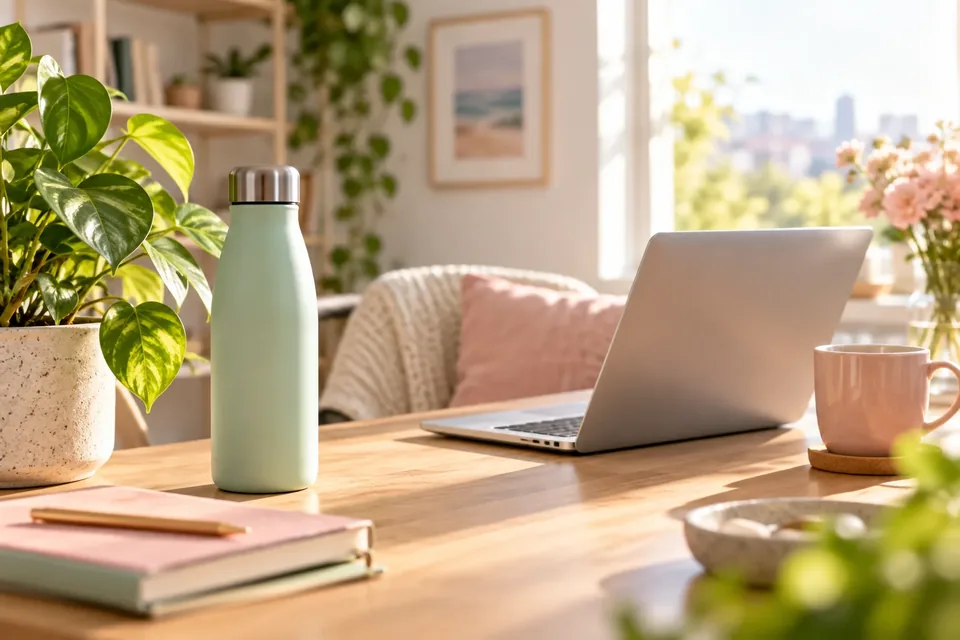
Keep a chilled water bottle or glass within arm’s reach and in sight. People are more likely to sip regularly when water is visible (British Nutrition Foundation: Staying hydrated at work). If plain water feels boring, try infusing it with citrus, mint, or cucumber—small touches can make a big difference in motivation.
2. Build Micro-Habits and Use Reminders
Set a reminder every 30–60 minutes to take a sip. You can use your phone, desktop apps, or the GLPily app’s built-in hydration reminders to nudge you gently throughout the day. Treat hydration as a work task: when the reminder goes off, take a sip—even if you’re not thirsty.
3. Sip, Don’t Gulp
Guidance from workplace health authorities like NIOSH and OSHA suggests drinking about 1 cup (8 oz) every 15–20 minutes during moderate activity, but for most desk jobs, a steady series of small sips—spread across the day—works well (CDC: Heat Stress Recommendations). The key is consistency, not volume all at once.
4. Schedule Hydration Breaks
Deliberately pair hydration with routine work transitions: before meetings, after calls, or during mid-morning and mid-afternoon breaks. Some teams even use shared hydration trackers or challenges to boost motivation (British Nutrition Foundation: Staying hydrated at work).
5. Personalize to Your Day
Everyone’s hydration needs are a bit different—age, body size, workspace temperature, and activity level all play a role (PMC: Hydration of Workers in Thermal Environments). If you notice headaches, fatigue, or dark urine, you may need to increase your intake. If you’re dealing with GI side effects (like diarrhea), your body may need even more fluids and possibly electrolytes—log these symptoms and discuss with your clinician if they persist (Cleveland Clinic: How To Manage GLP-1 Side Effects).
Using the GLPily App to Reinforce Hydration Habits
GLPily was designed with day-to-day realities in mind. Here’s how it can help you stay hydrated at the office:
- Log every drink: The water logging feature lets you record each glass, bottle, or sip—giving you a clear picture of your habits over time (GLPily Privacy Policy).
- Set hydration reminders: You can schedule reminders for water intake at intervals that fit your workday, alongside your medication and meal reminders (GLPily Privacy Policy).
- Track symptoms and context: Daily check-ins allow you to log energy, stomach comfort, and GI symptoms. This can help you spot patterns—maybe you feel better on days you hydrate more, or notice symptoms when you forget to drink (Glippy App Tutorial).
- Personalized Coach nudges: GLPily’s Coach can remember your work schedule and hydration patterns, offering more relevant reminders as you build habits. The more you log, the better the nudges can adapt to your needs (GLPily Privacy Policy).
If you’re not sure what to track, our first-week-on-glp-1-what-to-track guide has more details.
Desk-Friendly Hydration Routine: Step-by-Step
- Start your workday hydrated: Drink 1–2 cups of water before logging in, and log this in GLPily.
- Keep your bottle full and visible: Refill it during coffee breaks or after each meeting.
- Set reminders: Use the GLPily app to ping you every 30–60 minutes.
- Sip regularly: Don’t wait for thirst—take a small sip each time you see your reminder or finish a task.
- Track symptoms: If you experience GI side effects, log both your symptoms and your fluid intake. Consider an electrolyte drink if you’re losing a lot of fluids, and discuss persistent symptoms with your clinician.
- Review and adjust: At the end of the day, check your hydration log in GLPily. Adjust your routine based on how you felt and how much you drank.
For more on hydration and GLP-1s, see our hydration-on-glp-1 and constipation-on-glp-1 articles.
What’s Still Uncertain?
- There’s no one-size-fits-all answer for how much water desk workers on GLP-1s should drink—personal needs vary, and thirst cues may be unreliable (PMC: Hydration of Workers in Thermal Environments, GLP-1 Nutrition: Dehydration and electrolyte attention).
- It’s unclear whether plain water is always enough for mild dehydration at a desk, or if occasional electrolyte drinks are helpful—especially if you’re not losing fluids through sweat or GI symptoms (Cleveland Clinic: How To Manage GLP-1 Side Effects).
- The specific ways GLPily’s Coach adapts to hydration tracking aren’t fully detailed, and effectiveness will depend on how consistently you log and interact with the app (GLPily Privacy Policy).
Bottom Line
GLP-1 medications can make it easy to overlook hydration, especially during busy workdays. Simple, desk-friendly strategies—paired with reminders and tracking in the GLPily app—can help you build a routine that supports your well-being at work. If you’re unsure about your hydration needs or experience persistent symptoms, reach out to your healthcare provider for personalized guidance.
Sources and further reading
- GLP-1 Nutrition: Dehydration and electrolyte attention
- ScienceDirect: Nutritional priorities to support GLP-1 therapy
- MHRA: GLP-1 receptor agonists, 2024
- Work Health Research Network: Water Access at Work, 2026
- CDC: Heat Stress Recommendations
- British Nutrition Foundation: Staying hydrated at work
- PMC: Hydration of Workers in Thermal Environments
- Cleveland Clinic: How To Manage GLP-1 Side Effects
- GLPily Privacy Policy
- Glippy App Tutorial
This article is general education, not medical advice, and hasn’t replaced a conversation with your prescriber. Never change, skip or stop a medicine based on an article or an app. If you have severe or worrying symptoms, get medical help. Written by the GLPily Editorial Team from the sources listed above.
Make your GLP-1 journey easier to track 💚
Keep your shots, weight, food, water and symptom notes together with GLPily, and meet Pily, the little coach who answers from your own logs.


- Shot tracking
- Water & symptoms
- Weight trends
- Journal
- Food scanner
- Progress photos