
Compare GLP-1 App Privacy in 5 Minutes: A Simple Scorecard
You do not need a law degree or a free afternoon. A timer, two store pages and the find-in-page button are enough to compare two GLP-1 apps' privacy side by side.
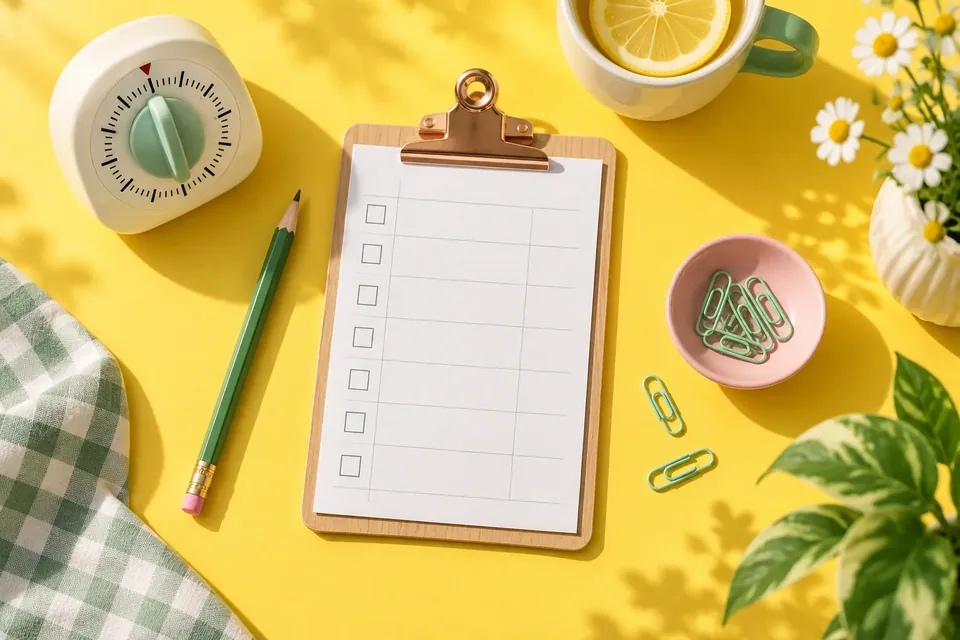
How do you compare two GLP-1 apps' privacy quickly? Spend one minute on each app's store privacy label, then three minutes searching each privacy policy for eight key words (sell, advertis, train, share, retain, delete, export, and the names of AI or analytics companies). Mark each row clear, unclear or concerning on the scorecard below. That is enough to spot the meaningful differences without reading every paragraph.
This is not a legal audit, and it will not award anyone a "safe" badge. It is a fast way to see which app gives you straight answers about the data you are about to hand over: weight, doses, symptoms, meals and maybe photos.
What you need
- Two (or three) apps you are deciding between.
- Their App Store or Google Play pages.
- Their privacy policies, open in a browser.
- The find in page function (Ctrl+F or Cmd+F on a computer; in phone browsers it is usually in the share or menu button).
- A timer, if you enjoy a challenge.
Minute 1: The store label
Open each app's store page and find the privacy section.
On the App Store, scroll to App Privacy. Look for:
- Is there a Data Used to Track You box? Apple defines tracking as linking data from the app with other companies' data for targeted advertising or ad measurement, or sharing it with a data broker.
- Which purposes appear next to Health & Fitness under Data Linked to You?
On Google Play, tap Data safety → See details. Look for:
- What is listed under Data shared.
- Which purposes appear next to Health and fitness under Data collected, and whether it is marked optional.
- Whether Security practices mention encryption in transit and a way to request deletion.
Remember that both labels are written by the developer. Apple's label says outright that the information has not been verified by Apple. For a deeper walk-through, see our guides to Apple's App Privacy labels and Google Play Data safety.
Minutes 2 to 4: The eight-word search
Open the privacy policy and search for each term. You are not reading the whole document, just the sentences around each hit.
| Search for | What a clear answer looks like | What to note |
|---|---|---|
| sell | "We do not sell personal data." | Missing or hedged ("we may sell…") |
| advertis (catches advertising, advertisers) | "We do not use your health data for advertising." | Health or photo data used for ads |
| train | "Your data is not used to train AI models." | No mention, but the app has AI features |
| share | A list of named companies and what each receives | Only "trusted partners" with no names |
| retain or retention | Real time frames ("while your account exists," "30 days") | "As long as necessary" and nothing else |
| delete | A menu path or email address | Only "you may have rights" |
| export | How to download your data and in what format | Nothing at all |
| AI or the provider's name | Which features send data to which provider | AI features not mentioned anywhere |
Why these words? Because they map to the questions that matter most for health data. The FTC's case against GoodRx in 2023, for example, centered on prescription and health information shared with advertising platforms. "Advertis" is doing a lot of work in that search.
Minute 5: Fill in the scorecard
Use three marks only:
- ✓ Clear: the policy or label answers the question specifically.
- ? Unclear: you could not find it, or the wording is vague.
- ✗ Concerning: it answers, and you do not like the answer.
| Question | App A | App B |
|---|---|---|
| Any "Data Used to Track You" (iPhone) or health data listed for advertising? | ||
| Does the policy say it does not sell personal data? | ||
| Is health data kept out of advertising? | ||
| Are photos explained (storage, AI use, deletion)? | ||
| Is AI processing explained, including training? | ||
| Are other companies named? | ||
| Is there a real retention time frame? | ||
| Is there a clear export option? | ||
| Is there a clear delete-account path? | ||
| Is there a privacy contact? | ||
| Totals: ✓ / ? / ✗ |
Do not add the marks into a single score. One ✗ on advertising can matter more to you than three ✓s elsewhere. Look at the pattern.
How should you read the results?
- Mostly ✓ for both apps? Privacy is probably not your deciding factor. Choose on features and feel; our 7-day test-drive scorecard helps with that.
- One app has more "?" marks? That is not proof of bad behavior. It may just be a vague policy. But it is a reason to email the developer before logging sensitive data.
- Any ✗ on advertising, selling or tracking? For health data, many people treat that as a deal-breaker.
- Store label and policy contradict each other? Ask which is correct. A good developer will fix whichever one is out of date.
What does this 5-minute method miss?
Speed has trade-offs. This method does not check:
- Security in practice. Labels describe intentions, not how well systems hold up.
- What the app actually does on your phone. On iPhone, turning on App Privacy Report (Settings → Privacy & Security) shows which domains each app contacts over 7 days.
- Legal coverage. Most consumer tracking apps are not covered by HIPAA. Our post on HIPAA and health apps myths explains which rules apply instead.
- The finer points like breach notification, children's data or state-specific rights. For the full picture, use our 10-point privacy policy checklist.
Try it on us
We publish GLPily, so feel free to run this exact scorecard on our App Store or Google Play page and our privacy policy against any other app you are considering. If something is unclear, email privacy@glpily.com. An "unclear" you report helps us write a better policy.
Re-run it when apps change
Privacy answers are not permanent. Developers can update store labels at any time, and policies change when apps add new features. Re-run the five minutes when an app adds AI features, a new integration, or sends you a "we've updated our privacy policy" notice.
Common questions
Is five minutes really enough?
Enough to compare and to spot red flags. Not enough to fully understand a policy. If an app passes the quick check and you plan to log a lot of sensitive data, the full checklist is worth fifteen more minutes.
What if a policy uses different words than my search terms?
Try synonyms: "disclose" for share, "keep" or "store" for retain, "erase" or "remove" for delete, "marketing" for advertising.
Should I avoid any app with a "?" mark?
Not automatically. Ask the developer. A quick, specific reply is a good sign; no reply tells you something too.
Do privacy labels and policies get checked by Apple or Google?
Both stores set the rules and definitions, but the developer is responsible for accuracy. Apple's label notes the information has not been verified by Apple, and Google says it cannot determine on its own how developers handle data.
Sources and further reading
- Apple Developer: App privacy details on the App Store
- Apple Support: About privacy information on the App Store
- Apple Support: About App Privacy Report
- Google Play Help: Understand app privacy and security practices with Google Play's Data safety section
- Play Console Help: Provide information for Google Play's Data safety section
- FTC: Enforcement Action to Bar GoodRx from Sharing Consumers' Sensitive Health Info for Advertising
GLPily is a tracking companion, not a medical device, and doesn’t provide medical advice. Written by the GLPily Editorial Team from the sources listed above.
Make your GLP-1 journey easier to track 💚
Keep your shots, weight, food, water and symptom notes together with GLPily, and meet Pily, the little coach who answers from your own logs.

- Shot tracking
- Water & symptoms
- Weight trends
- Journal
- Food scanner
- Progress photos